

CalcTime™
| Time Calculator
$50.00 USD
Download CalcTime™ | Pricing & Order Info | Screen Shots & User Guide
Calculating time is easy enough but CalcTime™ will surely make the tedious and error prone task of calculating times easier, faster and with fewer errors.
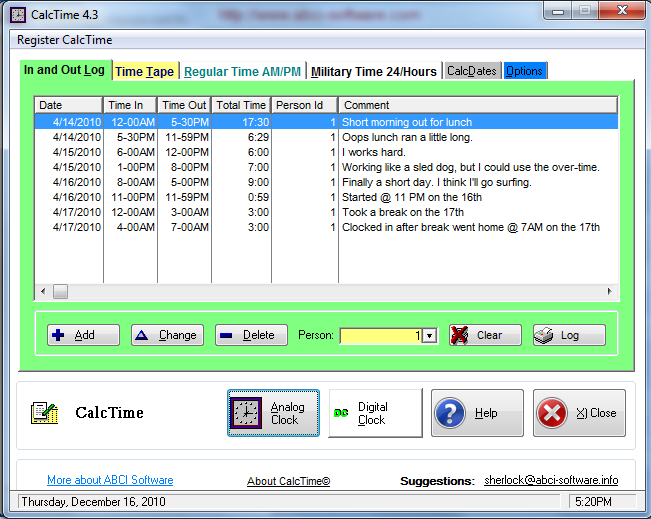
CalcTime™ has six window tabs labeled In and Out Log, Time Tape, Regular Time AM/PM, Military Time 24/Hours, CalcDates and Options.
In the In and Out Log tab, CalcTime provides features for multiple time logs, which can be used for multiple people, jobs and/or tracking time for things that require time logging. This feature replicates a time-clock card.
The Time Tape tab, provides a running "tape" of time entries, which can be printed.
The Regular Time AM/PM includes a simple calculator for adding and/or subtracting one time of day from/with another. You can use 'regular time' formats for AM/PM or 'military time' such as 17:00 for 5:00 PM.
The Military Time 24/Hours tabs add or subtract one time of day to or from another in the 24 hour time format.
The CalcDates tab contains various options to add one date to another or subtract one date from another.

Also, the CalcTime Options tab includes Report Builder, which is a feature that allows end-users to modify existing time logs and create new ones. Report Builder can also be used to create FORMS and to perform many spread-sheet-like calculations.
- The Show Clock button launches a convenient digital clock;
- The Report Titles button allows users to edit report titles;
- The Org Name button allows users to edit the Company Name field;
- The People button allows multiple persons to be added for Time Clock tracking.